

Try the new W&B Inference service free. It gives you access to AI models through an API and the Weave Playground.

1. Install Weave and get your API key
Install weave First, install the weave library:2. Log a trace to a new project
Follow these steps to track your first project:- Import the
weavelibrary - Call
weave.init('project-name')to start tracking- The system asks for your API key if you haven’t logged in yet
- To log to a team, use
team-name/project-name - Set the
WANDB_API_KEYenvironment variable to skip the login prompt
- Add
@weave.op()to the functions you want to track
extract_dinos, Weave shows a link to view your trace.
3. Automatic AI library logging
Weave tracks calls to many AI services:- OpenAI
- Anthropic
- Many more AI libraries
- AI model info
- Token usage
- Cost
@weave.op().
4. See traces in your project
Great job. Now Weave captures data every time you call your function. It also tracks code changes.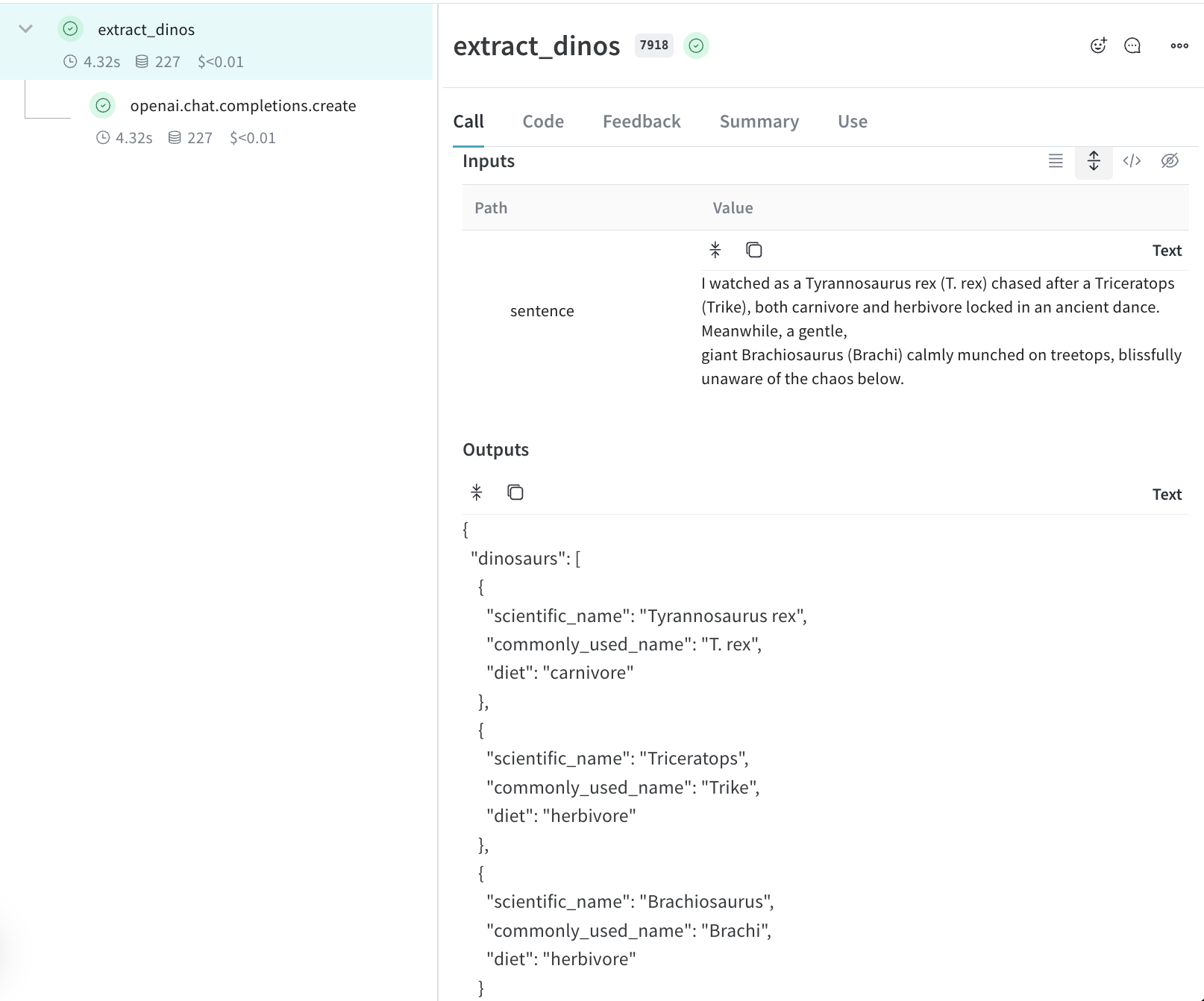
Next steps
- Learn to track data flow in your app
- Read about Tracing to see how Weave works
- Check out Integrations for all AI providers
- Try the Playground to test different models