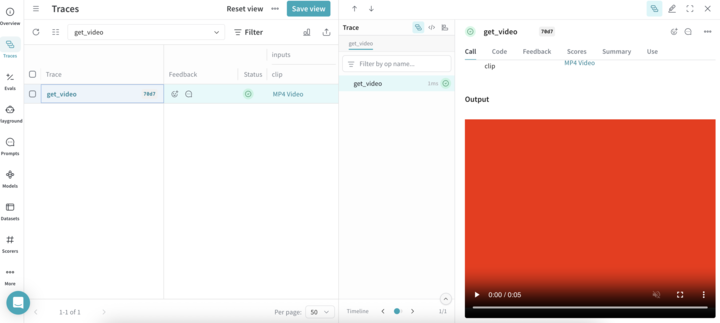
Weave automatically logs videos using moviepy. This allows you to pass video inputs and outputs to traced functions, and Weave will automatically handle uploading and storing video data.
Video support is currently only available in Python.
Usage prerequisites
- Install
weave and moviepy==1.0.3.
- Create a W&B account.
Supported video types
Weave recognizes moviepy video clip objects, such as:
- A
VideoFileClip loaded from a video file
- In-memory clips like
ImageClip, ColorClip, and TextClip
Direct upload of file-based clips
If your clip is a VideoFileClip and has a valid filename with a supported extension, Weave will upload the file directly.
Supported file extensions:
In-memory clip support
If the video object is in memory (no file on disk), Weave will encode it as an .mp4 file and handle the upload automatically. This applies to clips of the following type:
ImageClip
ColorClip
TextClip
Example: Trace a video function
The following code sample demonstrates how to trace a video processing function in Weave. The code sample:
- Initializes a Weave project
video-test.
- Defines a
get_video function tracked as a weave.op that extracts a 1 second subclip of the loaded VideoFileClip as a VideoClip.
- Uploads and tracks the clip in Weave.
- Automatically generates a dummy MP4 video if none is found.
To avoid thread-safety issues, always pass the path to VideoFileClip objects instead of creating them outside the Weave op.
Before you use the following code snippet, complete the usage prerequisites.
import os
import weave
from moviepy.editor import VideoFileClip, ColorClip, VideoClip
# Update to your project name, or create a new project named 'video-test'
weave.init('video-test')
@weave.op
def get_video(clip: VideoFileClip) -> VideoClip:
"""Process a video by path rather than by passing the clip directly.
This ensures that the VideoFileClip is created and managed within the
Weave op's thread context, avoiding thread-safety issues.
"""
new_clip = clip.subclip(0, 1)
return new_clip
if __name__ == "__main__":
os.makedirs("videos", exist_ok=True)
# Update the path to point to your MP4 file
video_path = './videos/example.mp4'
# Generate a dummy video if it doesn't exist
# Dummy video contents: A red square that displays for 5 seconds
if not os.path.isfile(video_path):
print("No video found. Creating dummy video...")
dummy_clip = ColorClip(size=(640, 480), color=(255, 0, 0), duration=5)
dummy_clip.write_videofile(video_path, fps=24)
clip = VideoFileClip(video_path, has_mask=False, audio=True)
get_video(clip)
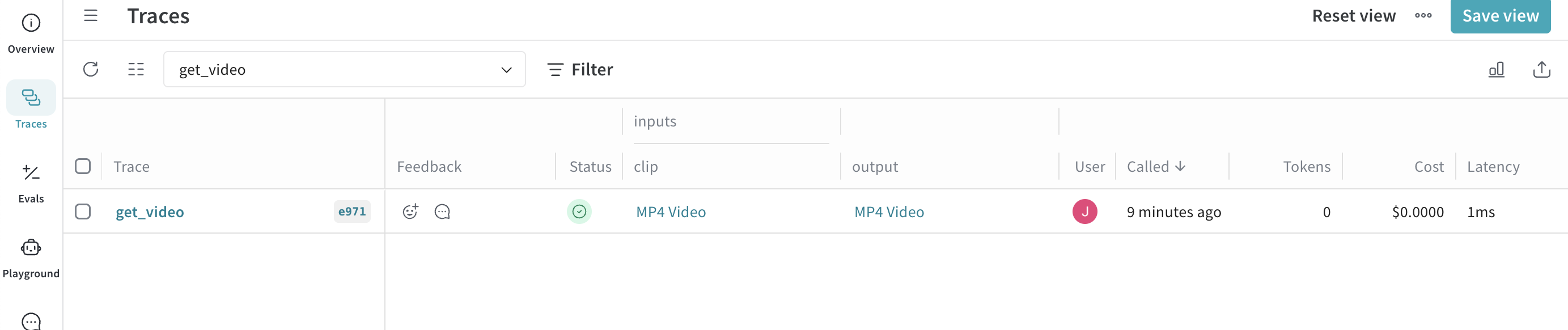
When the code sample runs successfully, you can view your video by clicking the link in the Traces table of your project.